Step 1
Choose one clear subject photo for each slot. The first image represents the performer starting on the viewer's left; the second represents the starting right-hand performer. Check both previews and their order.

Upload two character photos and let the preset handle the orange-studio performance. Choose 4 or 15 seconds and 480P, 720P, or 1080P quality. No prompt or source-video upload is needed.
Sign up to receive 16 free credits
Step 1: Select left photo
Step 2: Select right photo
60 credits per video · Sign in to generate
Compare the two reference photos with the example duet. Each photo supplies a character for one of the starting roles, bringing a different pairing into the same orange-studio setup.
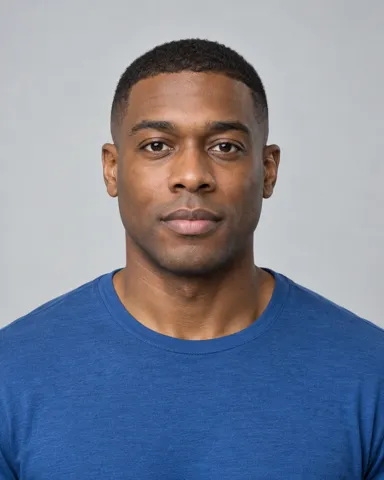
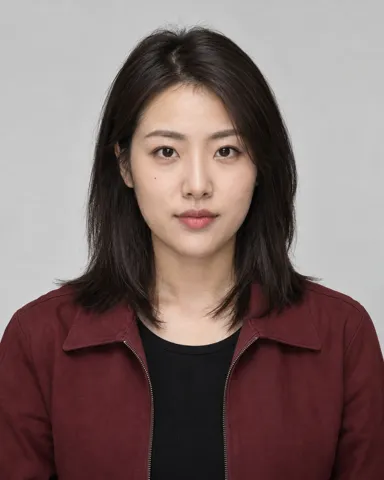
3. Select Generate Now
See how different pairings change the feel of the same two-person performance. Explore these examples, then choose the two characters for your own version.
Choose one clear subject photo for each slot. The first image represents the performer starting on the viewer's left; the second represents the starting right-hand performer. Check both previews and their order.
Select 4 or 15 seconds, then choose 480P, 720P, or 1080P. Review the credit total before generating. The preset already supplies the reference performance and orange-studio scene.

Generate your duet, then check both characters throughout the finished clip. Play the result with sound and review the performance before downloading or sharing your Hotel Lobby AI video.


Supply a separate photo for each performer and decide who starts on the left and who starts on the right. Your two references define the intended cast.

Create from a shared two-person reference performance rather than animating two photos independently. Each identity is assigned to an original performer, not permanently fixed to one side of the screen.

The preset provides the orange backdrop, hanging microphone, and reference composition. You do not need to write a scene prompt or find and upload the source performance.

Keep the focus on your pairing within the recognizable duet. This is a dedicated Hotel Lobby AI workflow, with the performance setup prepared instead of a general-purpose scene builder.
Choose your two performers and bring your pairing into the orange studio. New accounts get 16 welcome credits, enough to start with a 4-second, 480P video.
Try Hotel Lobby AI for Free